ROBEXA SOLUTIONS

Connected restaurant solutions, configured around your operation.

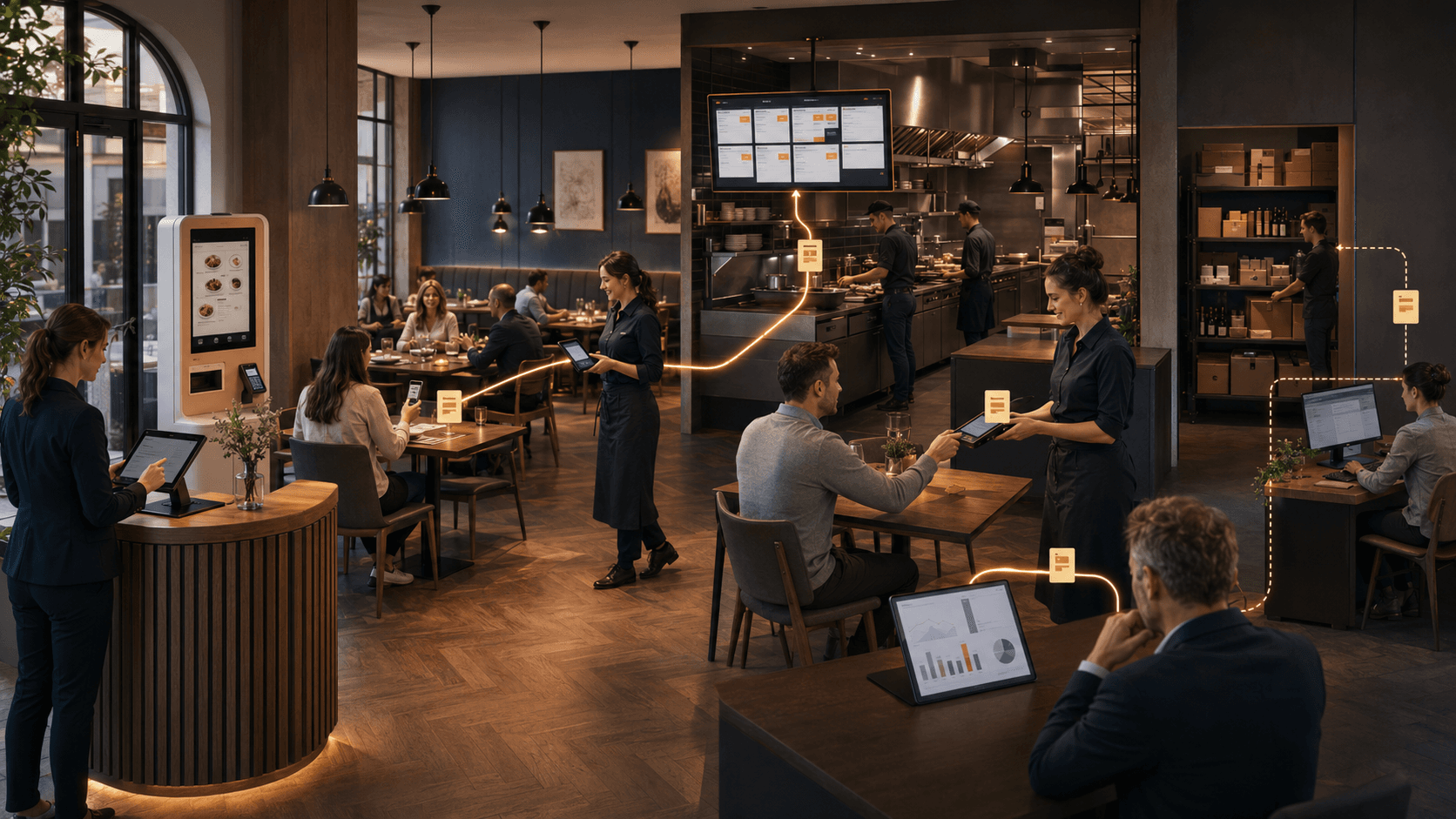
Robexa connects the workflows around guest ordering, service, kitchen, tables, reservations and management. Instead of introducing isolated tools, we configure the relevant solutions around the way your restaurant operates and connect them where that improves daily work—connected rather than isolated.

You can start with the workflows you need now and expand the setup when additional capabilities have a clear operational purpose.

HOW IT CONNECTS

How the solutions work together

Each area can solve a specific operational need. Their greater value appears when selected workflows share information and support the same day-to-day operation.

Guest ordering
Service & kitchen
Tables & reservations
Central management

Not every restaurant needs every solution. The goal is to connect the parts that matter for your operation—not to add modules for their own sake.

A connected system should reduce fragmentation—not add another isolated tool.

CENTRAL PLATFORM

A shared foundation for restaurant operations.

The Restaurant Management System provides the administrative foundation for the configured Robexa environment. Depending on the setup, it brings relevant menus, locations, roles, orders, operational settings and reporting into one managed environment—a shared operational foundation.

This gives the selected guest-facing and operational solutions a consistent base instead of forcing teams to maintain the same information across unrelated tools.

  • Manage menus, locations and roles depending on the setup
  • Overview of orders and operational settings
  • Reporting for the selected channels and workflows
Connected digital touchpoints across a restaurant operation with Robexa

GUEST ORDERING

Ordering channels that fit different guest journeys.

Guests may order at the table, through a website, in WhatsApp or at a self-service station. The appropriate channels depend on the restaurant, service model and moment of use.

Digital Menu & QR Ordering

Guests open the menu by QR code at the table and order in the browser—without an app. Extras, notes and allergen details stay visible in the order flow.

  • QR menu at the table without an app
  • Extras, notes and allergen information
  • Handoff to service and kitchen

Depending on the setup, table orders can enter the same kitchen and service workflow as other channels.

WhatsApp Ordering

Guests order where they already message you—with a structured menu instead of unclear chat threads and repeated clarification requests.

  • Order link and menu in WhatsApp
  • Fewer clarification requests for options
  • Status updates within the agreed flow

Structured WhatsApp orders can—depending on configuration—be handed to kitchen and operations.

Online Ordering System

Run pickup and delivery under your own brand through your website—with clear time windows and a kitchen that stays in control.

  • Ordering through your website
  • Pickup and delivery in one process
  • Reporting for direct revenue

Website orders can connect to kitchen, printing and reporting instead of remaining isolated.

Self-Ordering Kiosk

During peaks, guests place orders on a self-service display—useful for quick service, cafés and counter-led operations.

  • Self-ordering on a stand display
  • Built for quick service and cafés
  • Kitchen and payment handoff depending on setup

Kiosk orders can enter the same production workflow as other ordering channels.

DAILY OPERATIONS

Tools that support service and operational teams.

The operational layer helps teams coordinate work during service—from taking orders and preparing them in the kitchen to managing tables and reservations.

Handheld for Service Staff

Servers capture orders at the table—with table context and fewer transcription steps between notepad and station.

  • Table-linked ordering on handhelds
  • Faster follow-up rounds
  • Direct kitchen and bar handoff

Handheld orders can feed the same kitchen workflow as QR or online channels.

Kitchen Display System

The kitchen sees incoming orders and their preparation state digitally—instead of relying only on paper tickets and spoken updates.

  • Digital tickets and station routing
  • Separate kitchen and bar views
  • Live status for relevant stations

Orders from configured channels appear as structured tickets on the KDS.

Table Reservations

Keep confirmations, notes and table assignment in one place for hosts, service and the rest of the service evening.

  • Reservations through your website
  • Google intake depending on configuration
  • Confirm or decline in one workflow

Reservations can stay aligned with table and floor planning.

Table & Floor Planning

See rooms, tables and occupancy status visually—instead of relying on guesswork and scattered notes.

  • Visual floor and seating plans
  • Free and occupied table status
  • Aligned with reservations

Table status and reservations can share the same operational view.

SETUP

Start with the workflows you need now.

Some restaurants begin with online ordering or a kitchen workflow. Others need a broader setup across guest channels, service and administration. We first identify the relevant workflows, then configure and connect the selected solutions around the operation.

Where the proven standard fits, we use it. Where an important requirement genuinely needs more, we assess a clearly scoped extension.

  1. 01

    Understand the operation

    Service model, current systems and the workflows with the clearest need for improvement.

  2. 02

    Select and configure relevant solutions

    Set up only the areas that should improve day-to-day work.

  3. 03

    Connect, introduce and support

    Technical implementation and support within the agreed scope.

INSIGHTS

Related insights

Selected articles on connected restaurant operations and common operational bottlenecks.

Let’s map the right setup for your operation.

An initial conversation helps us understand your service model, current systems and the workflows you want to improve. From there, we can identify which Robexa solutions are relevant and how they should work together.