A guest places an order through the restaurant website.
A server enters another order at a table.
A QR order arrives from the terrace, while a reservation guest has just checked in and the kitchen is still working through an earlier pickup queue.
Each activity may be supported by a digital tool.
The operational problem begins when those tools do not share enough context.
An employee copies the website order into another system. The kitchen receives a ticket without the correct fulfilment information. A menu item is unavailable but remains visible in one ordering channel. Service asks the kitchen for an update because status information is stored somewhere else. Management later combines several reports to understand what happened.
The restaurant is digital, but the process is still fragmented.
Centralising restaurant processes means connecting the information, responsibilities and status transitions that belong to the same operational journey.
It does not mean that every employee works in one identical interface.
Kitchen, service, reception and management need different views. Centralisation means that those views work from a shared operational context instead of forcing employees to rebuild that context manually.
Key takeaways
- Centralisation connects restaurant workflows; it does not force every role into the same screen.
- Menu, availability, order context and status information should not be maintained independently in several disconnected tools.
- Orders from QR, web, WhatsApp, kiosk and service channels can enter a shared operational process.
- Kitchen, bar, service, reception and management still need focused role-specific interfaces.
- The strongest rollout begins with one operational bottleneck rather than replacing the entire restaurant at once.
- Existing tools may remain where they provide value, but handoffs and ownership must be explicitly defined.
- Success should be measured through fewer repeated entries, clearer handoffs and better operational visibility—not the number of active modules.
What does centralising restaurant processes actually mean?
Centralisation is often misunderstood as placing every feature, data point and employee inside one large application.
That approach can create a new problem: an overloaded system in which every person sees too much information.
Practical restaurant centralisation has a different purpose.
It creates a shared foundation for the information that several workflows depend on.
This may include:
- products
- menu categories
- prices
- variants and extras
- availability
- ordering periods
- location information
- table or fulfilment context
- preparation routing
- order status
- role and permission rules
- reporting definitions
Different operational teams can then use focused interfaces built around the same context.
For example:
- guests see a digital menu
- service sees tables and orders
- kitchen sees preparation work
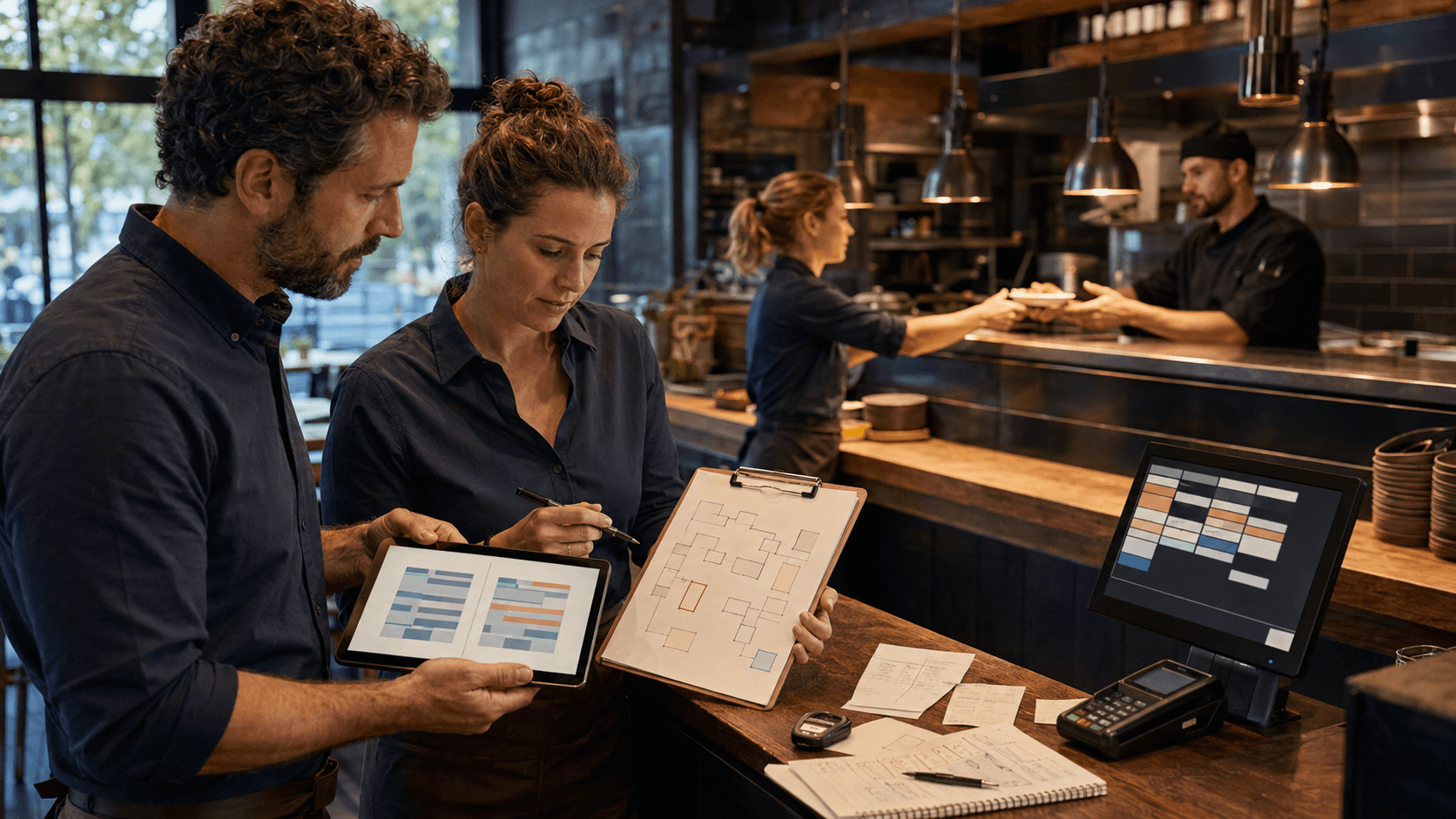
- reception sees reservations and table allocation
- management sees operational summaries
These are different views, but they do not need to become separate information worlds.
Centralisation is not the same as putting everything in one screen
A kitchen employee does not need access to marketing settings.
A host does not need unrestricted payment or menu-configuration access.
A manager does not need to prepare orders from the same interface used by the kitchen.
The correct goal is:
one operational context, several appropriate working views.
Role-specific interfaces reduce distraction and help protect sensitive or irrelevant information.
Depending on configuration, Robexa can provide focused areas for:
- guests
- service staff
- kitchen and bar
- host or reception teams
- fulfilment
- management
- location administration
The relationship between these areas matters more than visual uniformity.
Fragmented tools versus connected operations
| Operational area | Fragmented setup | Connected setup |
|---|---|---|
| Menu data | Products, prices and availability are maintained separately for website, QR, delivery or staff ordering. | Shared product information can support several channels, with intentional channel-specific rules. |
| Order entry | Employees re-enter orders from websites, messages or external queues. | Structured orders can enter the operational workflow from their original channel. |
| Order context | Table, pickup, delivery and timing information is stored in different places or added manually. | Fulfilment context remains connected to the order. |
| Kitchen routing | Tickets must be manually redirected or explained between kitchen, bar and packaging. | Products can be routed to the appropriate preparation areas according to configuration. |
| Status | Kitchen, service and guests receive different or delayed information. | Status transitions can become visible to the roles that require them. |
| Reservations | Reservations, arrival and table allocation are managed separately from restaurant-floor visibility. | Reservation and table workflows can operate as connected stages. |
| Management | Reports are assembled from several systems using different definitions. | Management can work from a more consistent operational picture. |
| Changes | A product, time or availability change must be repeated in several tools. | Relevant changes can be maintained from a more central source and applied according to channel rules. |
A connected setup does not remove every integration or specialised tool. It reduces unnecessary information breaks and makes the remaining boundaries explicit.
The operational chain that should remain connected
A restaurant order passes through several stages.
Centralisation is useful when each stage receives enough information from the stage before it.
1. Menu and availability
The process begins before the order exists.
Guests and employees need current information about:
- products
- categories
- prices
- variants
- extras
- required choices
- availability
- ordering periods
- applicable channels
- location-specific differences
A central menu foundation does not require every channel to offer the same products.
Delivery may exclude dishes that do not travel well. A breakfast menu may be active only during certain hours. One location may have a different product range.
The differences should be deliberate configuration—not accidental inconsistency.
2. Ordering channel
Depending on the restaurant concept, the order may begin through:
- a service Handheld
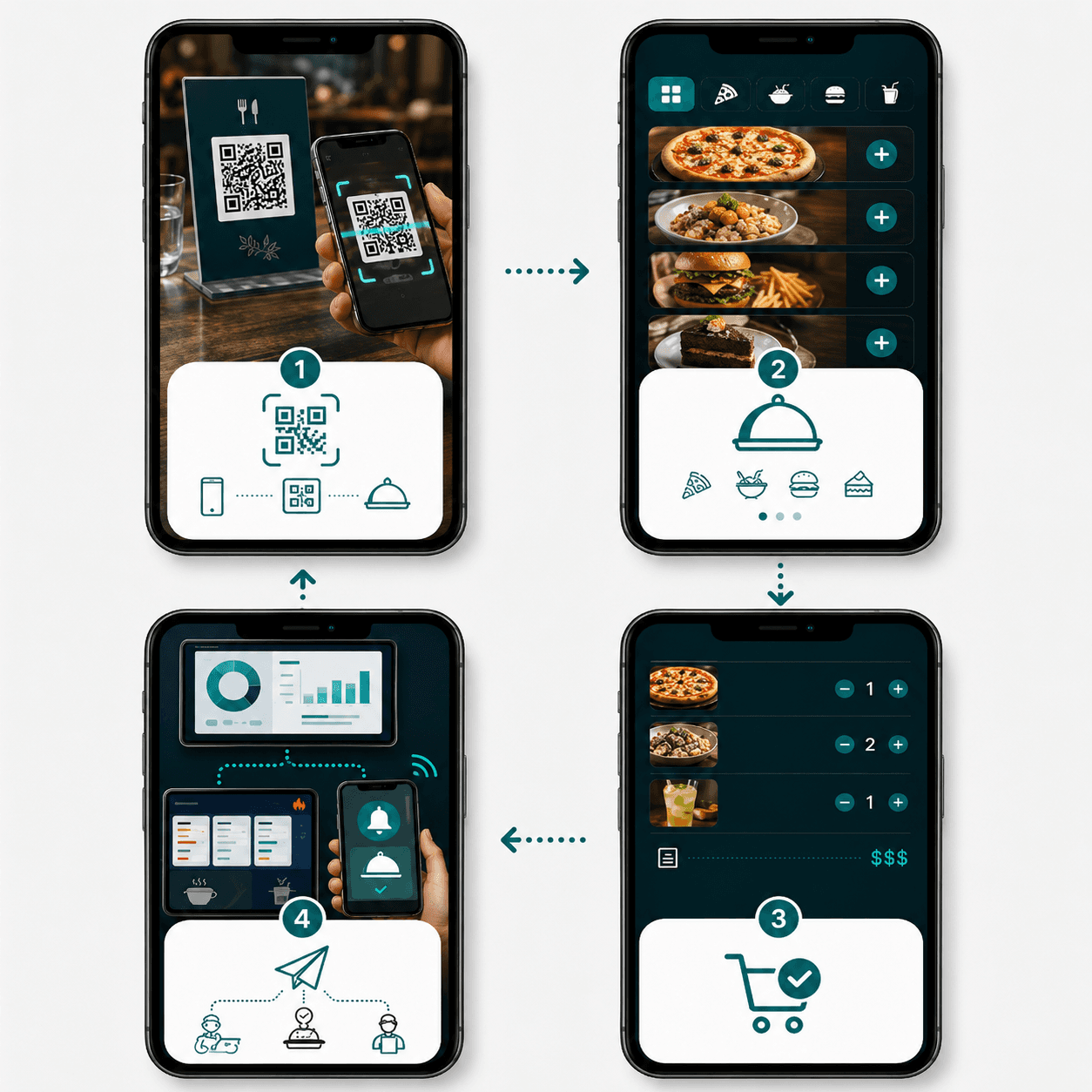
- a QR code at the table
- the restaurant website
- a self-ordering kiosk
- another configured direct channel
The guest experience can differ by channel.
The operational meaning of the products and options should remain understandable to the restaurant.
Practical channel design is covered in more detail in How to Design an Efficient Digital Ordering Process.
3. Order context
The next team needs to know what kind of order it is.
Relevant context may include:
- table
- restaurant area
- pickup
- delivery
- requested time
- guest name
- service employee
- channel
- product options
- preparation notes
- payment state
- priority or timing information
Without this context, the kitchen may receive correct products but still not know how the order should be fulfilled.
4. Kitchen, bar and preparation routing
Products can require different preparation areas.
For example:
- drinks go to the bar
- hot food goes to the kitchen
- desserts go to a separate station
- takeaway packaging is handled in a fulfilment area
- the pass needs a consolidated view
- selected tickets may also require printing
Routing should follow the real restaurant workflow.
Showing every product on every screen does not create centralisation. It creates noise.
5. Preparation status
A useful status model reflects real actions.
Depending on the restaurant, stages may include:
- received
- accepted
- in preparation
- ready
- handed off
- completed
Every status should answer:
- Who changes it?
- What operational event has occurred?
- Which role needs to see the result?
A status that nobody updates during peak service does not improve visibility.
6. Service and fulfilment
Service, pickup or another fulfilment role needs to know when the complete order is ready.
A single station completing one item does not always mean the entire order can be handed off.
The process must define:
- who controls the complete order
- how missing items are identified
- how service receives the ready signal
- how pickup orders are matched to guests
- how delivery handoff is confirmed
- how corrections are communicated
7. Payment and completion
Payment may occur before, during or after preparation depending on the restaurant model and configured workflow.
Centralisation does not mean every order follows the same payment path.
It means that payment state, order state and fulfilment responsibilities do not contradict one another.
8. Management and reporting
After completion, management needs a reliable understanding of the operation.
Relevant questions may include:
- Which channels generated orders?
- Where were repeated entries required?
- Which preparation areas created delays?
- How did direct ordering perform?
- Which products or times caused operational pressure?
- How consistently were statuses used?
- Which locations follow the same processes and which require local rules?
Reporting is useful only when the underlying workflow and definitions are consistent.
One source of truth does not mean one rule for every channel
Restaurants often hear the phrase “single source of truth”.
In practice, this means that shared data has a clearly defined owner.
For example:
- the menu has an approved product record
- availability has a defined source
- a table has one operational identity
- an order has one authoritative status
- a location has agreed operating settings
It does not mean that every channel must behave identically.
Channel-specific rules may still apply:
- QR ordering may be available only at selected tables
- delivery may use a smaller product range
- kiosk ordering may require a different confirmation flow
- Handheld ordering may show service-only actions
- one location may have different opening periods
The important question is whether these differences are managed intentionally from a consistent foundation.
Different teams need different operational views
Guests
Guests need:
- an understandable menu
- accurate availability
- clear options
- confirmation
- relevant status communication
- an easy way to request assistance
They do not need internal kitchen detail.
Service staff
Service needs:
- table and area context
- current products
- open or previous orders
- add-on rounds
- relevant preparation status
- service tasks
- optional payment actions where configured
Kitchen and bar
Preparation teams need:
- assigned products
- quantities
- variants
- relevant notes
- timing
- priority
- station ownership
- order completion context
They should not be distracted by unrelated management information.
Host and reception
Reception may need:
- reservations
- guest arrival
- table status
- floor plan
- seating assignment
- operational notes
This interface should remain focused and permission-limited.
Management
Management needs:
- operational overview
- reporting
- location comparison
- configuration ownership
- module and role visibility
- a clear understanding of exceptions
Management does not need to perform every operational task itself.
Which Robexa modules can form a connected workflow?
Robexa is designed as a modular restaurant platform.
Not every restaurant requires every module.
Depending on configuration, a connected workflow may include the following areas.
Digital menu and QR ordering
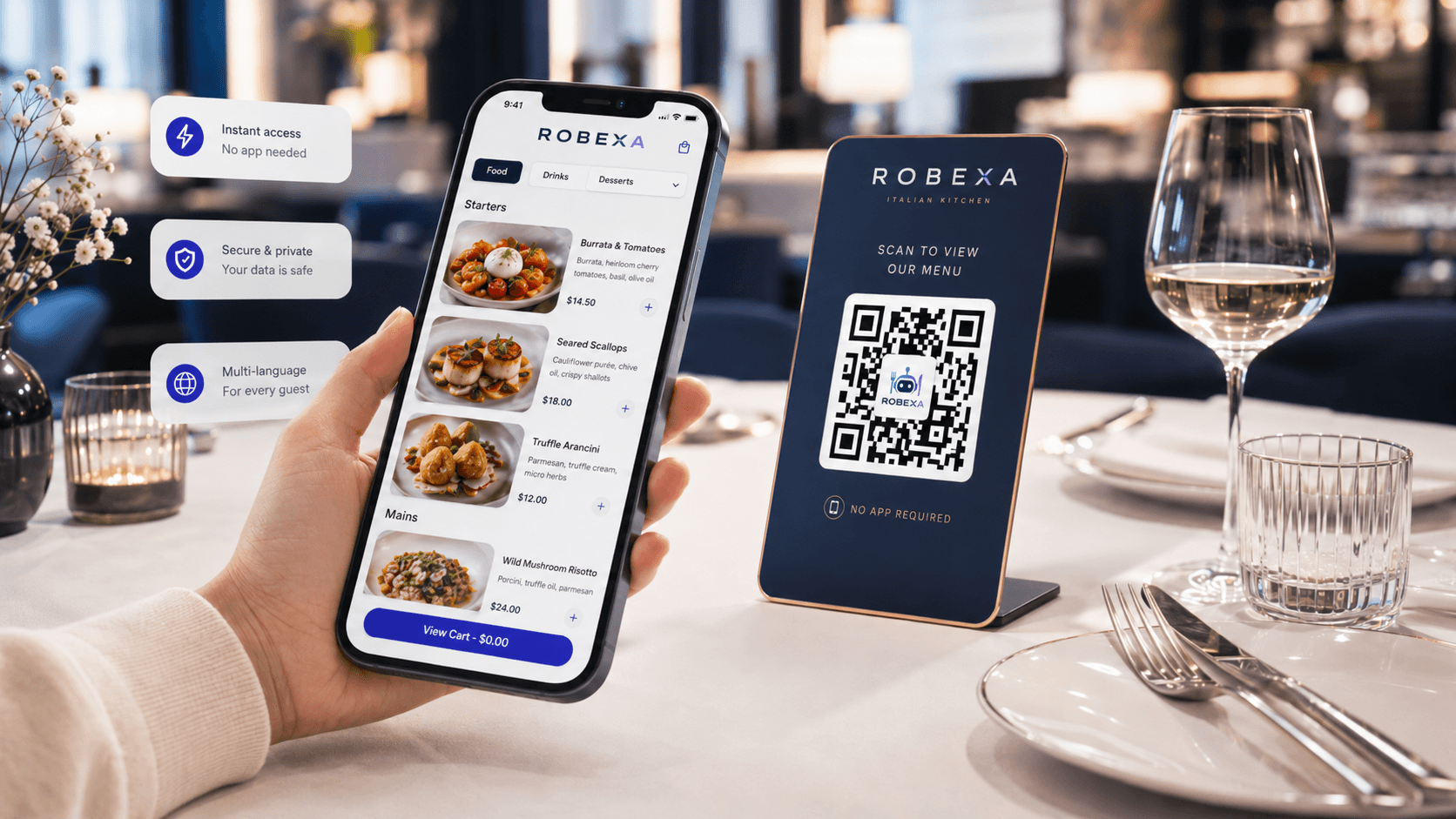
A centrally maintained digital menu can support guest-facing product information, multilingual content, options and table ordering.
See Digital Menu and QR Ordering.
Direct online ordering
Website orders for pickup or delivery can enter a structured workflow instead of being manually transferred from messages or separate lists.
See the Online Ordering System and How to Design an Efficient Digital Ordering Process.
WhatsApp ordering
WhatsApp can provide a familiar entry point while structured products and fulfilment information remain separate from unstructured chat messages.
See WhatsApp Ordering.
Self-ordering kiosk
A kiosk can guide guests through products and required options and send the resulting order into the relevant kitchen and fulfilment process.
See the Self-Ordering Kiosk.
Handheld for service
Service employees can record table-linked orders, options and add-on rounds directly on the restaurant floor.
See the Handheld Ordering System and How Handheld Systems Improve Service.
Kitchen Display System and printer routing
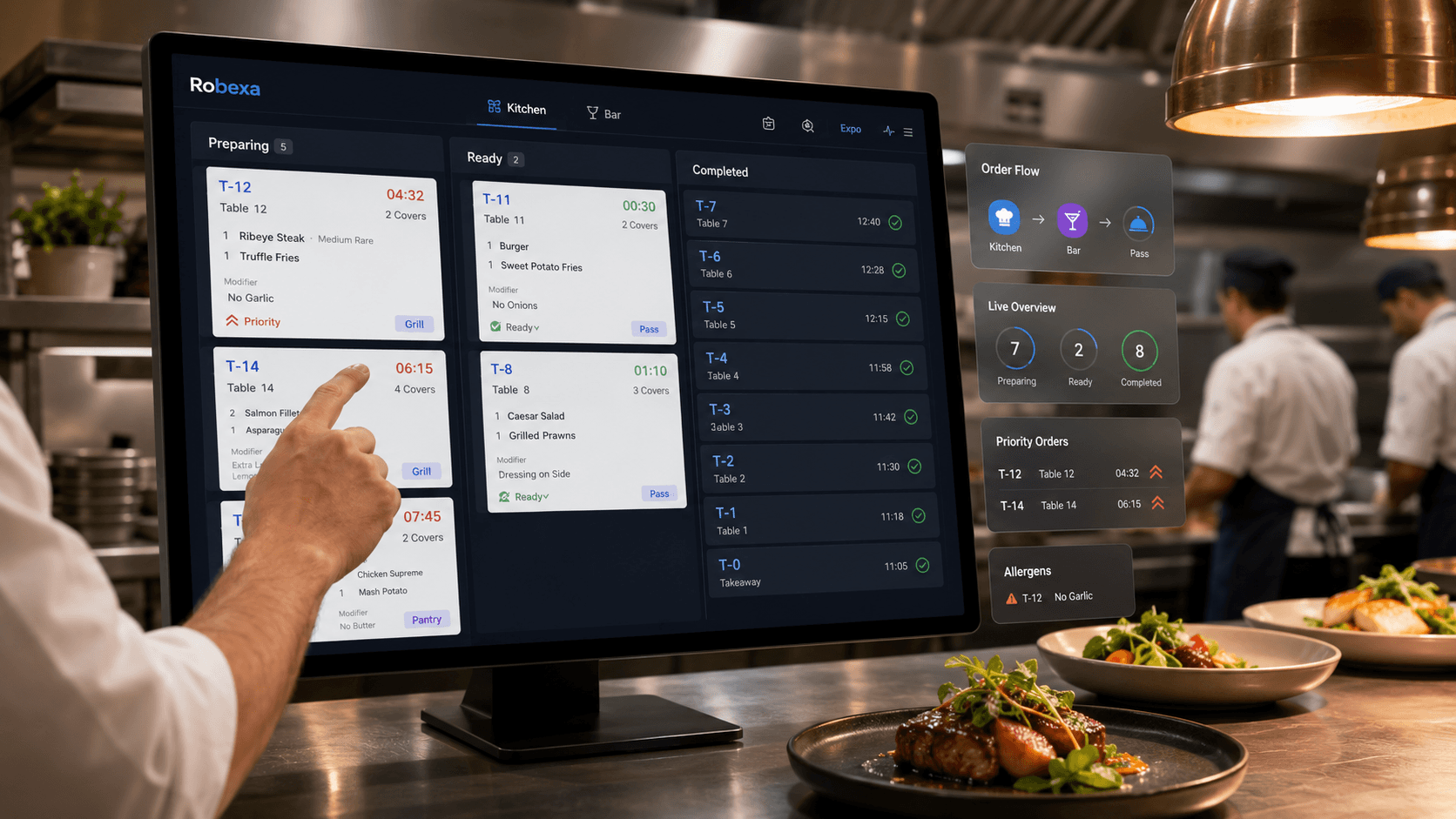
Orders can be routed to kitchen, bar or other preparation stations, with digital tickets, status and printer zones depending on setup.
See the Kitchen Display System and What Is a Kitchen Display System?.
Reservations and table management
Reservations, arrival, table allocation and floor visibility can form one focused host workflow.
See the Restaurant Reservation System and Table Planning & Floor Plan.
Payments, vouchers and promotions
Payment, tipping, voucher and promotion workflows may be connected according to the configured operating model.
Management and multiple locations
Central configuration, reporting and operational visibility can support a single venue or several locations while preserving location-specific rules.
See the Restaurant Management System.
What should a restaurant centralise first?
Do not begin with the longest module list.
Begin with the handoff that currently creates the most repeated work, uncertainty or delay.
Common starting points include:
Menu consistency
Choose this when staff maintain products, prices or availability in several places.
Direct-order entry
Choose this when website, phone or messaging orders are copied manually into the operational system.
Kitchen routing
Choose this when tickets are frequently redirected, lost or verbally explained.
Service visibility
Choose this when employees repeatedly ask whether orders are accepted, active or ready.
Reservations and table assignment
Choose this when reception, floor plan and service operate from different information.
Multi-location management
Choose this when each location maintains similar data independently and management cannot compare operations consistently.
The correct starting point is the process where a clearer information flow would be visible during daily service.
What should not be centralised blindly?
Not every difference is a problem.
Some local or role-specific differences are necessary.
Examples:
- one location has different opening hours
- delivery has a reduced menu
- the bar requires a separate preparation view
- reception should not access payment settings
- kitchen terminology differs from guest-facing descriptions
- one venue uses additional printer fallback
- a hotel restaurant has room-service context that another venue does not need
Centralisation should standardise shared foundations while preserving justified operational differences.
Centralisation should remove unnecessary differences—not erase the differences that make a restaurant workflow practical.
Common centralisation mistakes
Replacing everything at once
A full cutover increases operational risk and makes it difficult to identify the cause of a problem.
Beginning with software instead of process
Installing modules without mapping the current workflow reproduces old confusion in a new interface.
Using one interface for every role
Kitchen, service, reception and management become overloaded with irrelevant information.
Centralising data without assigning ownership
If nobody owns menu changes, status definitions or location rules, inconsistencies return.
Ignoring existing systems
A restaurant may already have tools that perform a useful specialised function.
The project must decide whether to keep, connect, replace or retire each system deliberately.
Creating too many statuses
Detailed status models fail when the team cannot use them consistently during peak periods.
Neglecting exceptions
Cancellations, unavailable products, duplicate orders, failed payments, device outages and network interruptions need clear responses.
Measuring module activation instead of operational improvement
An active feature does not prove that the restaurant is working more clearly.
How to introduce centralised processes gradually
1. Map the current process
Follow real orders, reservations and information changes through the restaurant.
Document:
- where information begins
- where it is entered again
- which employees ask for clarification
- which systems hold conflicting values
- where ownership becomes unclear
- where delays are discovered too late
- which fallback processes already exist
2. Choose one operational bottleneck
Examples:
- repeated entry of direct orders
- inconsistent menu availability
- unclear kitchen routing
- missing service status
- disconnected reservation and table views
- duplicated location configuration
Define one primary objective.
3. Define the shared data and owner
For the selected workflow, decide:
- which data is authoritative
- who maintains it
- which roles may change it
- which channels use it
- which exceptions are permitted
- how changes are reviewed
4. Configure role-specific views
Avoid showing every user the full platform.
Service, kitchen, reception and management should receive only the actions and information required for their responsibilities.
5. Test the complete journey
Do not test only whether a screen opens.
Test:
- normal orders
- several options
- unavailable products
- corrections
- duplicate submissions
- delayed stations
- table changes
- pickup and delivery context
- device or printer failure
- network interruption
- payment exceptions where applicable
- shift handover
6. Train with real scenarios
Employees should understand:
- what information they receive
- which status they own
- what action follows
- who handles an exception
- what happens when the system is unavailable
7. Run a controlled pilot
Choose:
- one ordering channel
- one service area
- one preparation station
- one location
- or one limited operating period
Observe real work.
8. Measure and adjust
Correct routing, terminology, permissions, menu structure and status usage before expanding.
9. Add the next connected process
Expansion should follow operational value, not a predetermined feature checklist.
Working with existing restaurant systems
Centralisation does not always require immediate replacement of every existing application.
A useful system decision should classify each tool as:
- retain
- connect
- replace
- retire later
- use only as fallback
Questions to ask:
- Which system owns the menu?
- Which system owns the current order state?
- Where is payment status authoritative?
- Which platform communicates with the guest?
- Which system is used during an outage?
- Who monitors failed handoffs?
- When is the old workflow considered retired?
Centralisation for multiple locations
A multi-location restaurant needs both consistency and local control.
Useful central foundations may include:
- product definitions
- branding
- reporting definitions
- roles
- common operational standards
- approved communication
Location-specific settings may include:
- prices
- product availability
- opening times
- ordering channels
- preparation stations
- floor plans
- delivery areas
- local promotions
The goal is not to make every location identical.
The goal is to prevent avoidable duplication while keeping necessary local decisions clear.
How should success be measured?
Do not measure success by the number of active modules.
Useful indicators include:
- number of manually re-entered orders
- number of menu changes repeated across systems
- service-to-kitchen clarification requests
- incorrectly routed tickets
- missing table or fulfilment context
- time from order submission to operational acceptance
- time spent assembling management reports
- unresolved status discrepancies
- number of location-specific duplicate configurations
- frequency of fallback use
- staff confidence during peak periods
- guest complaints caused by inconsistent information
- share of orders using direct channels
- time required to introduce a menu or availability change
Choose indicators before rollout.
Compare the new process with the original operational problem.
How Robexa approaches connected restaurant operations
Robexa is designed around three practical principles.
Problem-led
The starting point is a real operational bottleneck, not the number of modules available.
Role-based
Guests, service, kitchen, reception and management receive interfaces appropriate to their responsibilities.
Modular and expandable
Restaurants can begin with a focused workflow and add connected modules as the operation requires them.
Depending on configuration, Robexa can connect:
- menu and availability
- guest ordering channels
- table and fulfilment context
- kitchen and bar routing
- KDS and printer workflows
- service status
- reservations and floor visibility
- payment-related processes
- reporting and management
Not every restaurant needs every connection.
The purpose is to reduce fragmented handoffs while preserving the operational differences that are genuinely useful.
Depending on configuration, Robexa can connect the Restaurant Management System, Digital Menu and QR Ordering, Online Ordering, WhatsApp Ordering, Self-Ordering Kiosk, Handheld Ordering, Kitchen Display System, Reservations, Table Planning and the modules in All Solutions.
Is centralisation suitable for every restaurant?
The principle is useful for almost every operation, but the appropriate scope differs.
Small café
May begin with one menu, direct ordering and a simple kitchen handoff.
Full-service restaurant
May prioritise table context, Handheld ordering, reservations, kitchen routing and service status.
Pickup and delivery business
May focus on direct ordering, fulfilment type, preparation, packaging, payment state and collection.
Hotel or mixed hospitality operation
May require several ordering points, service areas, guest contexts and operating periods.
Multi-location group
May need central product governance and reporting with controlled local configuration.
Centralisation should match real complexity.
A small operation should not adopt unnecessary process layers merely because they exist.
Conclusion
Centralising restaurant processes is not about moving every task into one oversized screen.
It is about ensuring that menu data, orders, fulfilment context, preparation status and responsibilities remain connected as work moves through the restaurant.
The result should be:
- fewer repeated entries
- clearer handoffs
- more focused role-based work
- more consistent guest information
- better operational visibility
- a platform that can expand without rebuilding every process
Robexa supports this approach through modular workflows rather than an all-or-nothing replacement.
The most useful starting question is:
At which handoff does your restaurant currently lose the most information, time or clear ownership?